Sine Wave Generator – Free Online Pure Tone Generator
Your Frequency Hub for Mind & Awareness. Generate mathematically clean sine signals through your browser's audio engine with zero distortion, live oscilloscope tracking, and precision frequency controls.
| Audio Engine | Web Audio API |
| Sample Rate | 48,000 Hz |
| Nyquist Limit | 24,000 Hz |
| AudioContext State | suspended |
| Output Channel | Stereo (2-ch) |
Perform a continuous sine sweep between two frequencies over a calibrated time duration. Ideal for speaker resonance detection, room modal testing, and audio equipment frequency-response characterization.
Synthesize and download a bit-perfect 16-bit PCM uncompressed .wav pure sine tone directly in your browser. All audio synthesis happens strictly on your local machine using JavaScript typed memory buffers. No audio data is ever transmitted to an external server.
🧪 Audio Testing & Acoustic Diagnostics
Perform fundamental listening checks on your headphones, desktop studio monitors, or mobile speakers. Note: This is a basic listening and signal test. It does not replace calibrated acoustic measurement equipment or laboratory sound level meters.
Subwoofer & Bass Test
Audition low-end extension (40 Hz – 80 Hz) to test subwoofer crossover integration and identify cabinet rattle.
Vocal & Midrange Clarity
Standard reference 1 kHz pure tone to verify speaker linearity and absence of harsh harmonic distortion.
High-Frequency Tweeter Test
Audition top-octave response (10 kHz) to test tweeter integrity, dispersion, and upper human hearing threshold.
Stereo Channel Separation
Cycles pure tone between Left and Right channels to confirm correct wiring, stereo staging, and polarity.
📋 Standard Reference Tones
These presets are convenient reference frequencies for audio experiments, learning, and basic testing. They represent standard acoustic, musical, and broadcast calibration benchmarks.
| Frequency | Period (T) | Wavelength (Air) | Standard Acoustic / Musical Context | Action |
|---|---|---|---|---|
| 60 Hz | 16.67 ms | 5.72 m | Mains power AC hum reference (North America) / Low Sub-Bass | |
| 100 Hz | 10.00 ms | 3.43 m | Punch bass / Standard crossover boundary for subwoofers | |
| 250 Hz | 4.00 ms | 1.37 m | Lower midrange warm boundary; Middle C fundamental is ~261.63 Hz | |
| 440 Hz | 2.27 ms | 0.78 m | Concert Pitch A4 (ISO 16 standard musical tuning reference) | |
| 1,000 Hz | 1.00 ms | 0.34 m | International reference calibration tone for audio & broadcast systems | |
| 4,000 Hz | 0.25 ms | 0.086 m | Peak human ear sensitivity zone (ear canal acoustic resonance) | |
| 10,000 Hz | 0.10 ms | 0.034 m | High frequency brilliance & audio tweeter fidelity test tone |
Sine Wave Generator Online
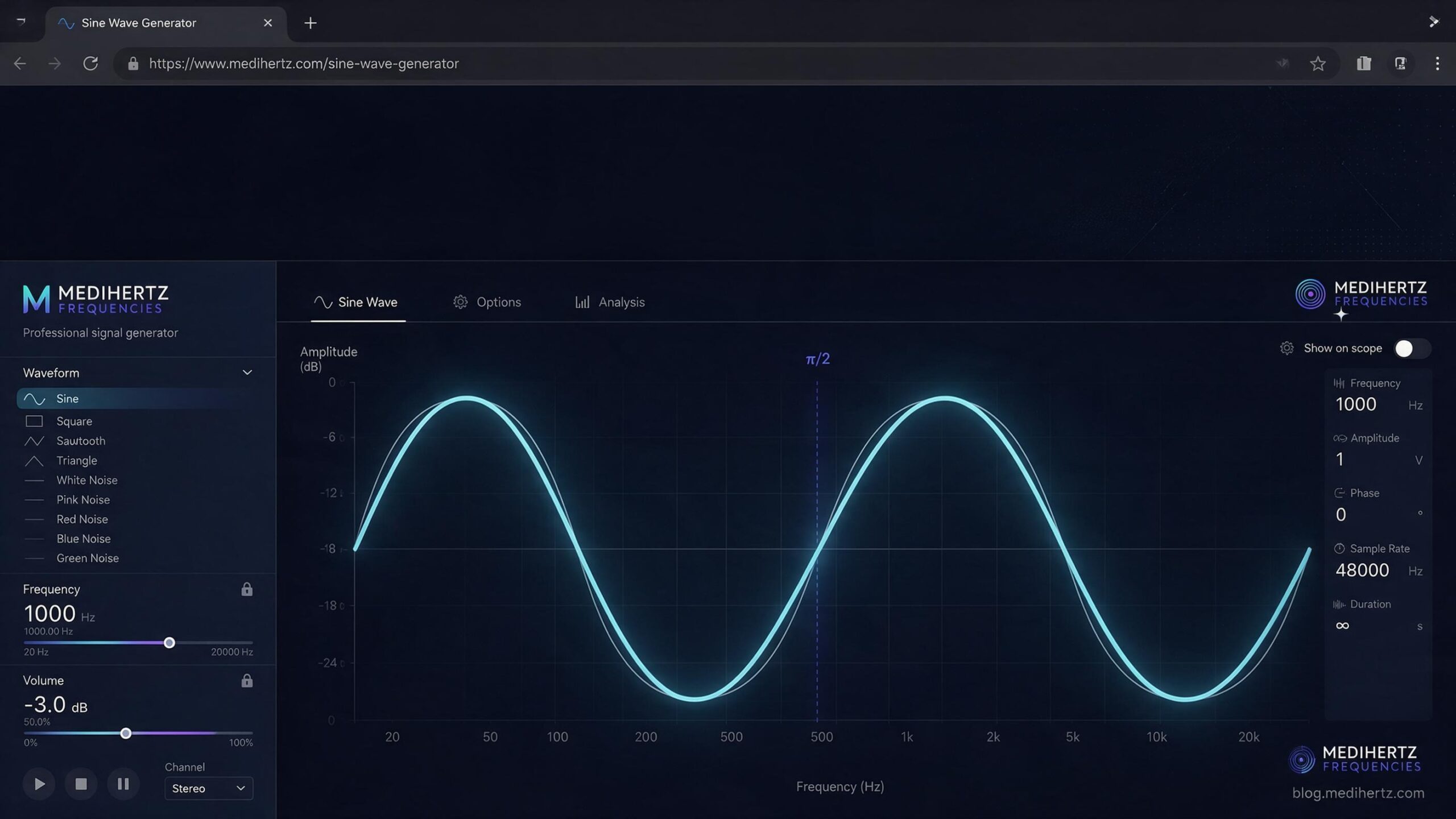
A sine wave generator is a tool that creates a continuous sinusoidal signal at a selected frequency. This free online sine wave generator lets you generate and listen to sine wave tones directly in your browser, adjust the frequency and volume, switch between stereo, left and right channels, and view the waveform as it changes.
You can use an online sine wave generator for audio testing, speaker and headphone checks, frequency experiments, music and sound exploration, physics and STEM education, waveform demonstrations, and basic signal-generation experiments.
What Is a Sine Wave Generator?
A sine wave generator is a device or software tool that produces a repeating signal with a sinusoidal waveform.
In audio, a sine wave can be heard as a pure tone when it is reproduced through a speaker or headphones. The frequency of the sine wave determines how many complete cycles occur every second and is measured in hertz (Hz).
For example:
- 100 Hz produces 100 cycles per second.
- 440 Hz produces 440 cycles per second.
- 1,000 Hz (1 kHz) produces 1,000 cycles per second.
- 10,000 Hz (10 kHz) produces 10,000 cycles per second.
A sine wave can also be described using other parameters, including amplitude, phase, frequency, and duration.
The basic mathematical form of a sine wave is:
y(t) = A sin(2πft + φ)
Where:
- A represents amplitude.
- f represents frequency.
- t represents time.
- φ represents phase.
In simple terms, a sine wave generator allows you to choose a frequency and produce the corresponding sinusoidal signal.
What Is a Pure Sine Wave?
A pure sine wave is an ideal sinusoidal waveform representing a single fundamental frequency.
Its shape changes smoothly and periodically rather than switching abruptly between different levels.
Pure sine waves are useful as reference signals because their simple waveform makes it easier to study the behavior of audio systems, oscillators, speakers, headphones, and other systems.
A generated sine wave can still be affected by the equipment reproducing it. Speakers, headphones, amplifiers, sound cards, rooms, and other parts of an audio system can introduce distortion or other changes.
How Does a Sine Wave Generator Work?
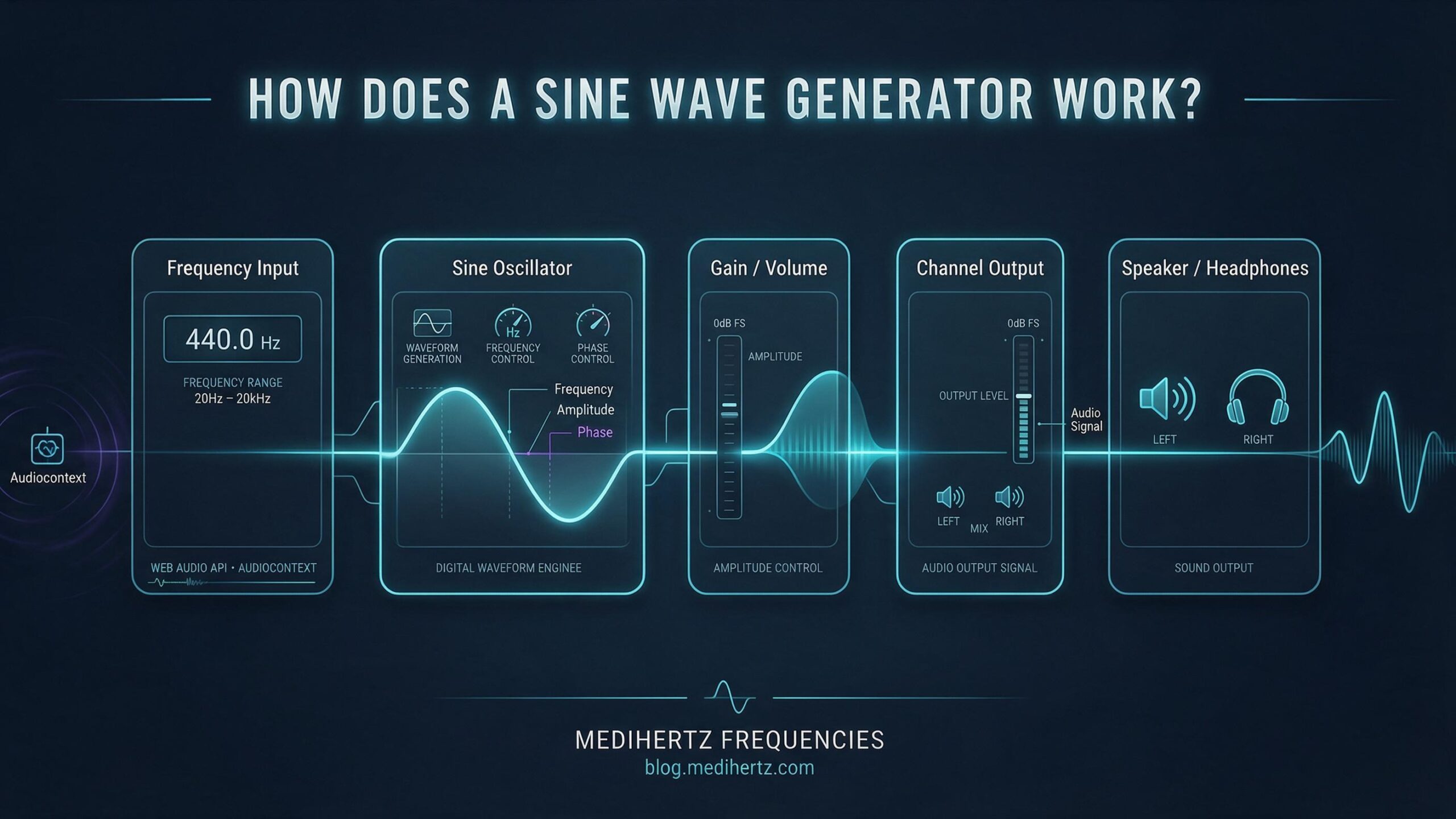
A sine wave generator works by creating a mathematical sinusoidal waveform and producing that waveform as an output signal.
In a browser-based generator, the Web Audio API can create the oscillator in real time rather than requiring a prerecorded audio file.
The basic process is:
Frequency setting → Sine oscillator → Volume control → Audio output
When you change the frequency, the oscillator changes how quickly the waveform repeats.
A lower frequency produces fewer cycles per second, while a higher frequency produces more cycles per second.
For example:
100 Hz produces a relatively slow waveform.
1,000 Hz produces ten times as many cycles per second.
10,000 Hz produces a much faster waveform.
The waveform visualization on this page provides a visual representation of the generated signal while the tone is being produced.
What Happens When You Press Play?
When you start the generator, the browser creates the required audio-processing components and generates the sine signal in real time.
The selected frequency controls the rate of oscillation, while the volume control adjusts the output level.
The signal is then sent through your device’s audio system to headphones, speakers, or another compatible audio output.
The exact audio output depends on your browser, operating system, sound hardware, headphones, speakers, and other parts of the playback system.
How to Use a Sine Wave Generator
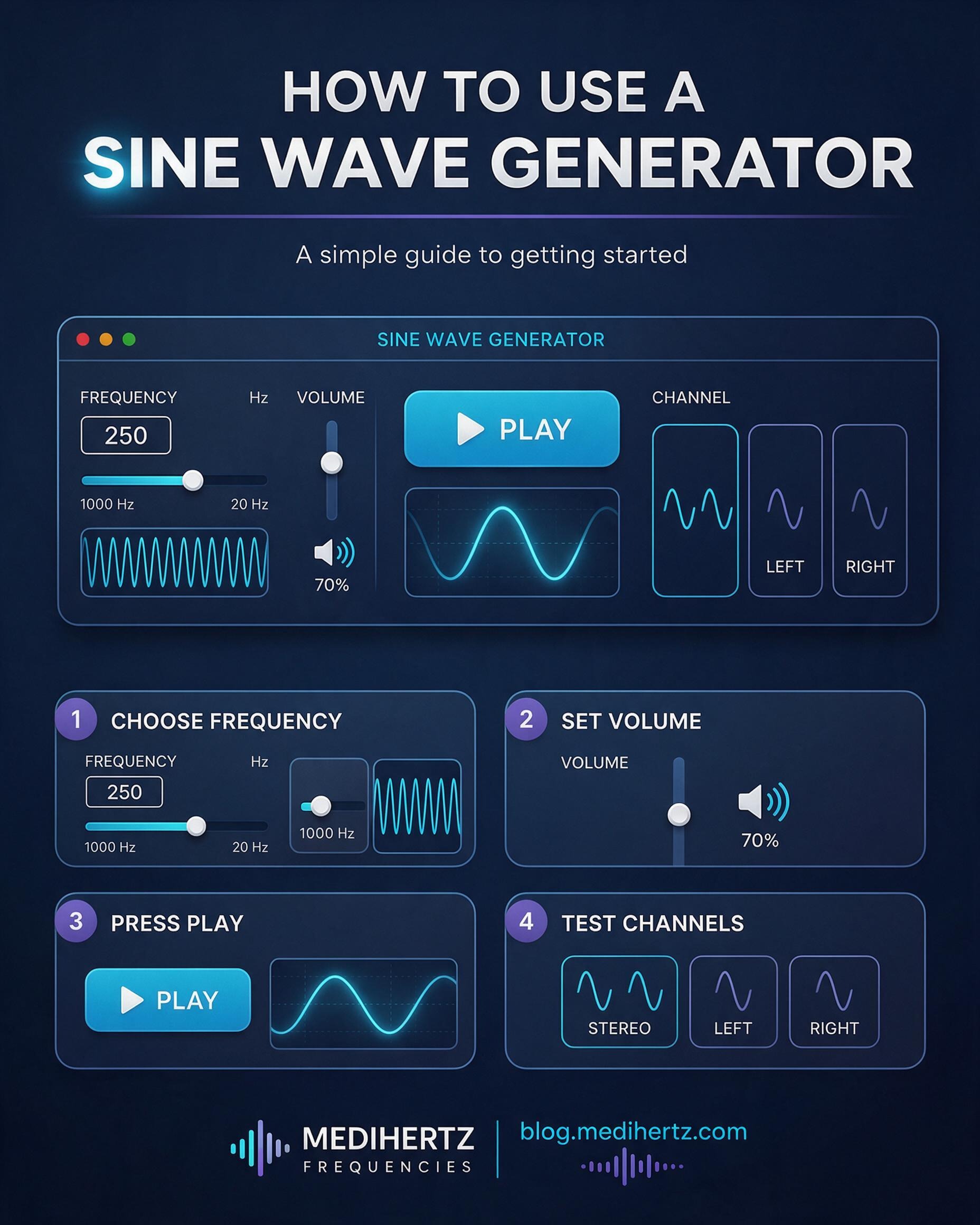
Using an online sine wave generator is simple.
1. Choose a Frequency
Enter the frequency in Hz or adjust the frequency control.
You can select a reference frequency or enter a specific value for your experiment.
2. Adjust the Volume
Set the output volume to a comfortable listening level.
The actual loudness depends on your device and audio equipment, so the same generator setting can produce different sound levels on different systems.
3. Press Play
Start the generated sine wave and listen to the tone.
4. Change the Frequency
Increase or decrease the frequency to hear how the pitch changes.
Lower frequencies generally sound deeper, while higher frequencies generally sound higher.
5. Test Left and Right Channels
Use the channel controls to select:
- Stereo — output through both channels.
- Left — output through the left channel.
- Right — output through the right channel.
This can be useful for basic stereo and channel-routing tests.
6. Explore the Waveform
Watch the waveform visualization while changing the frequency.
As the frequency increases, more cycles occur during the same amount of time.
7. Use Technical Controls
If Technical Mode is available, you can use its additional controls for more advanced waveform and frequency experiments.
How to Make a Sine Wave Generator
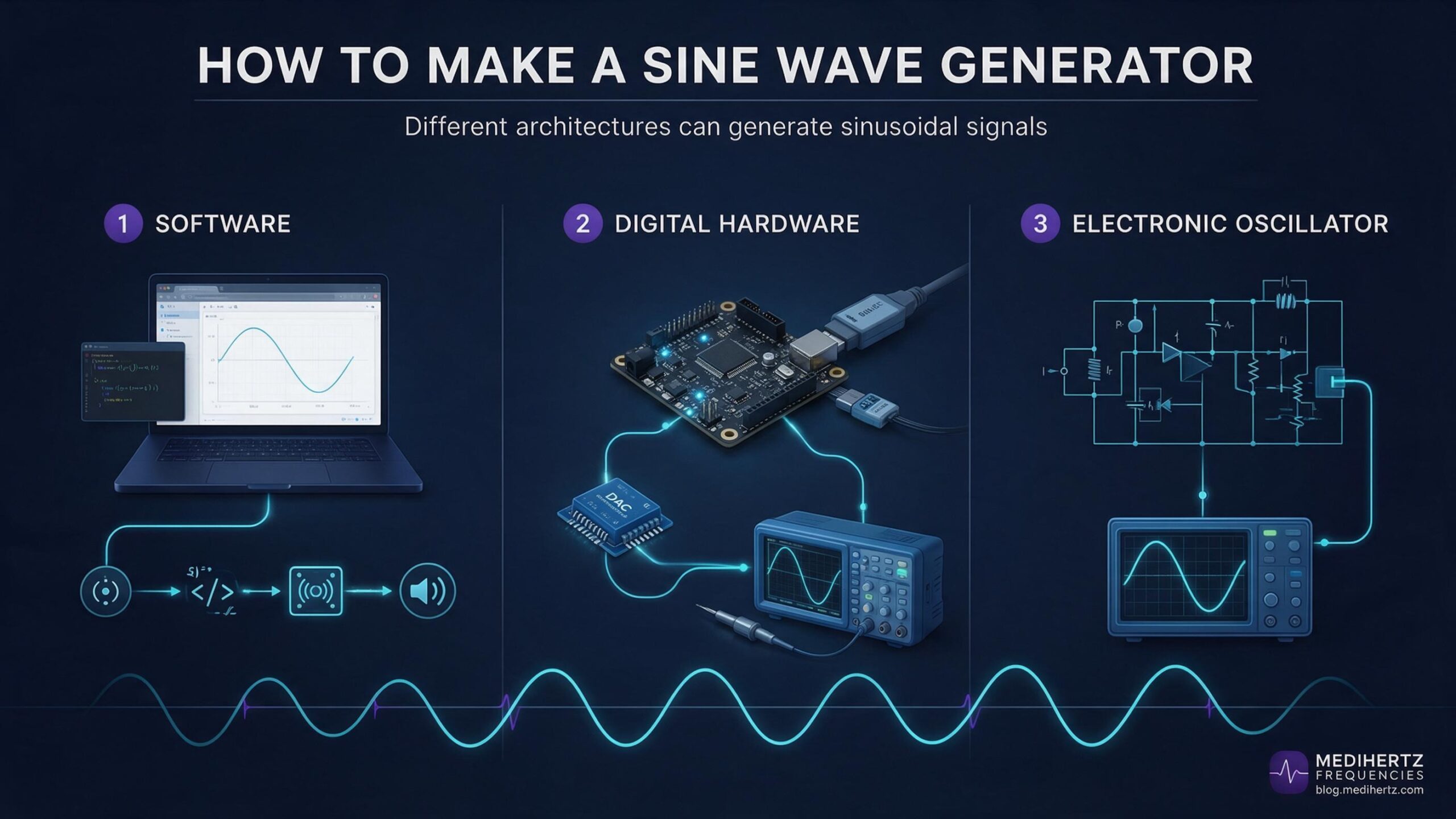
There are several ways to make a sine wave generator, depending on whether you want a software tool, an audio signal source, or an electronic test instrument.
Making a Sine Wave Generator With Software
A software sine wave generator can calculate a sinusoidal waveform and output it through an audio device.
A web browser can perform this using the Web Audio API, which provides an OscillatorNode capable of generating oscillator waveforms.
A simplified software signal path is:
Frequency → Oscillator → Gain/Volume → Audio Output
This approach is useful when you want to generate an audible sine tone without building a physical electronic circuit.
Making a Sine Wave Generator With Electronics
A physical sine wave generator can be designed using electronic oscillator circuits, digital signal-generation methods, microcontrollers, or dedicated waveform-generation hardware.
The appropriate design depends on requirements such as:
- Frequency range
- Frequency accuracy
- Output amplitude
- Output voltage
- Output impedance
- Waveform quality
- Analog or digital architecture
- Required load
A physical laboratory function generator and a browser-based audio generator are different types of tools.
What Is a Sine Wave Generator Used For?
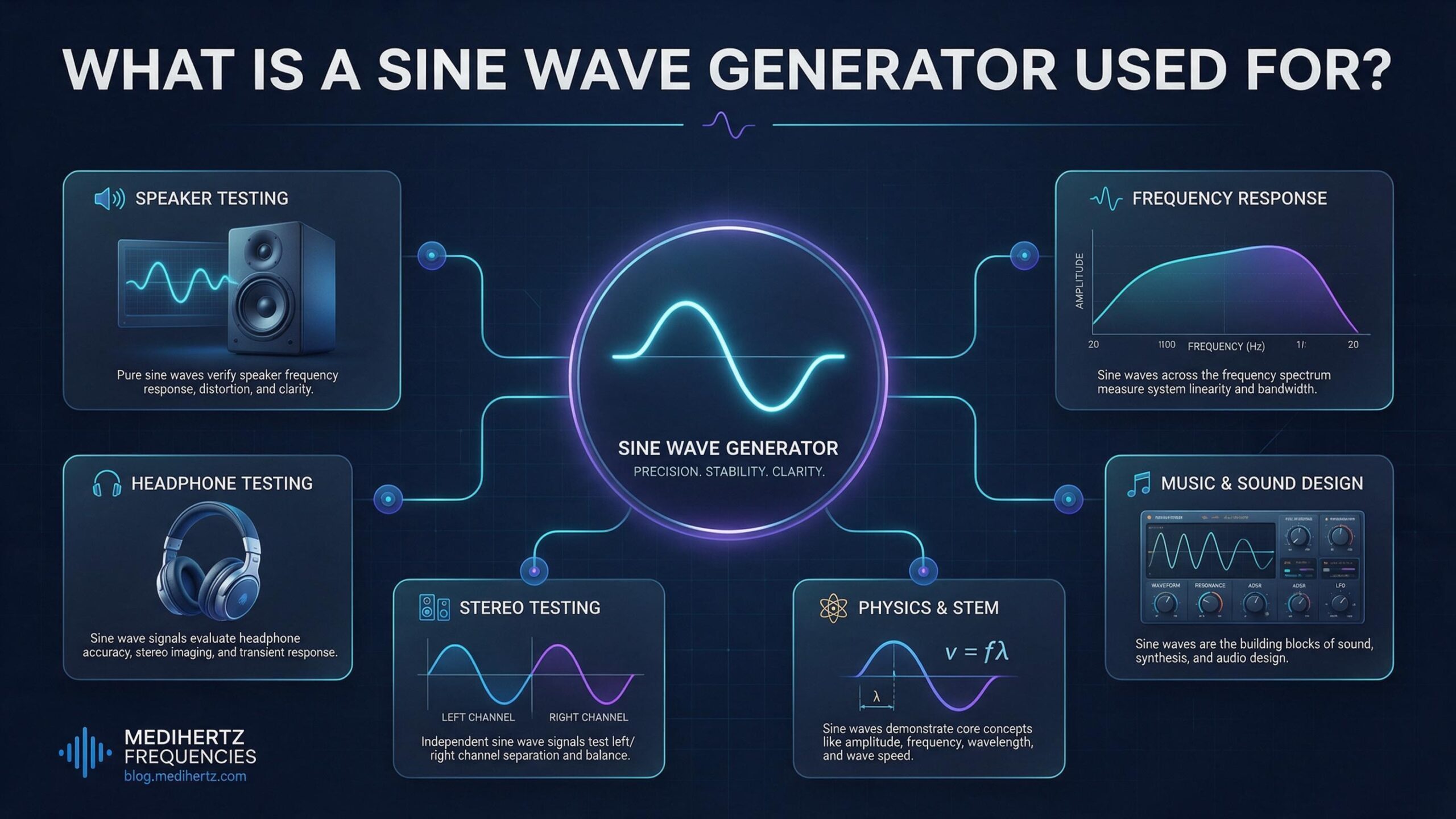
Sine wave generators have applications in audio, electronics, music, education, physics, testing, and signal processing.
Audio Testing
Sine tones can provide a controlled signal for basic audio experiments.
Changing the frequency lets you explore how an audio system responds at different points across the frequency range.
Speaker Testing
A sine wave generator can be used for basic speaker listening tests.
Different frequencies can help you identify audible changes such as:
- Buzzing
- Rattling
- Distortion
- Resonance
- Changes in output
For accurate measurements, professional acoustic measurement equipment is generally required.
Headphone Testing
Sine tones can be used to explore headphone response at different frequencies.
The left and right channel controls can also help perform basic channel-routing checks.
Left and Right Channel Testing
A sine wave sent individually to the left or right channel can help determine whether the expected channel is producing sound.
This can be useful when checking:
- Headphone connections
- Stereo speakers
- Audio cables
- Channel routing
- Basic stereo playback
Frequency Response Experiments
A sine wave generator can provide individual test frequencies for exploring the frequency response of an audio system.
By changing the frequency and observing or listening to the output, you can investigate how the system behaves across different frequencies.
Professional frequency-response measurements require calibrated equipment and measurement methods.
Music and Sound Design
Sine waves are fundamental components of electronic sound synthesis.
They can be used for:
- Reference tones
- Pitch experiments
- Tuning
- Ear training
- Sound synthesis
- Simple sound design
- Audio demonstrations
Because the waveform is mathematically simple, sine waves are also useful when learning how synthesizers and oscillators work.
Physics and STEM Education
Sine waves provide a simple way to demonstrate important concepts in physics and mathematics.
They can be used to explore:
- Frequency
- Period
- Amplitude
- Phase
- Oscillation
- Wave cycles
- Wavelength
- Periodic motion
The relationship between frequency and period is:
T = 1/f
This means that as frequency increases, the time required to complete one cycle decreases.
Electronics and Signal Experiments
Sine waves are commonly used as test signals in electronics and signal-processing experiments.
However, the output of a computer or phone audio system should not automatically be considered a laboratory-grade electrical signal generator.
The electrical characteristics of an audio output depend on the specific hardware and interface being used.
Sine Wave Frequency Explained
Frequency is the number of complete cycles of a waveform that occur each second.
Frequency is measured in hertz (Hz).
| Frequency | Cycles per second | General description |
|---|---|---|
| 20 Hz | 20 | Very low frequency |
| 100 Hz | 100 | Low-frequency tone |
| 440 Hz | 440 | Common musical reference |
| 1 kHz | 1,000 | Mid-frequency reference |
| 5 kHz | 5,000 | High-frequency tone |
| 10 kHz | 10,000 | Very high-frequency tone |
| 20 kHz | 20,000 | Upper range of common audio generators |
The range a person can hear varies between individuals and can also depend on age, hearing characteristics, listening level, and playback equipment.
Frequency vs Amplitude
Frequency and amplitude describe different properties of a sine wave.
Frequency
Frequency describes how quickly the waveform repeats.
In an audio signal, changing the frequency changes the perceived pitch.
Amplitude
Amplitude describes the size of the waveform.
In an audio system, changing amplitude generally changes the signal level. Perceived loudness, however, also depends on frequency and the characteristics of the playback system.
In simple terms:
Frequency → how quickly the wave oscillates
Amplitude → how large the waveform is
Frequency vs Period
Frequency and period describe the same repeating motion from two different perspectives.
Frequency tells you how many cycles occur per second.
Period tells you how long one complete cycle takes.
The relationship is:
T = 1/f
For example, a 1,000 Hz sine wave completes 1,000 cycles every second, so each cycle takes a very small fraction of a second.
What Is the Difference Between a Sine Wave and a Square Wave?
A sine wave changes smoothly and continuously between its positive and negative peaks.
A square wave changes between levels much more abruptly.
A square wave also contains additional harmonic components, while an ideal sine wave represents a single fundamental sinusoidal component.
Different waveforms therefore produce different signal characteristics and sounds.
Online Sine Wave Generator vs Signal Generator
The term signal generator can describe equipment that produces electrical signals for testing and experimentation.
An online sine wave generator works differently from a laboratory function generator.
A browser-based tool primarily generates an audio signal through the device’s audio system.
A laboratory function generator can provide controlled electrical characteristics such as:
- Frequency
- Amplitude
- Output voltage
- Waveform
- DC offset
- Output impedance
Professional laboratory equipment is designed for electrical testing and can be connected to appropriate circuits under controlled conditions.
Therefore, an online sine wave generator should not automatically be treated as a laboratory-grade electrical function generator.
Can an Online Sine Wave Generator Control Electronic Devices?
A browser-based sine wave generator normally outputs through the computer or mobile device’s audio system.
It does not universally provide direct control of arbitrary electronic devices, motors, coils, or other hardware.
External hardware may require an appropriate interface such as an audio interface, DAC, microcontroller, or dedicated signal-generation hardware.
The electrical requirements of the external device must also be considered.
For this reason, an online audio generator should be treated primarily as an audio and educational signal source, unless it is connected to suitable external hardware designed for the application.
What Can You Test With an Online Sine Wave Generator?
Depending on your equipment and the purpose of the experiment, an online sine wave generator can be useful for:
- Basic speaker testing
- Basic headphone testing
- Left and right channel testing
- Frequency listening experiments
- Audio-system demonstrations
- Pitch experiments
- Tuning experiments
- Physics demonstrations
- Waveform visualization
- Frequency-response exploration
- Sound-design experiments
- Basic signal-generation experiments
For precise scientific, acoustic, or electrical measurements, specialized measurement equipment may be required.
Quick Answers
What is a sine wave generator?
A sine wave generator creates a repeating sinusoidal signal at a selected frequency.
How does a sine wave generator work?
It generates a mathematical sine waveform at a specified frequency and sends the resulting signal to an output device.
What is a sine wave generator used for?
Common uses include audio testing, speaker and headphone checks, frequency experiments, music and sound synthesis, physics education, waveform demonstrations, and signal experiments.
How do I use a sine wave generator?
Choose a frequency, set a suitable volume, start the tone, and adjust the available controls to perform your experiment.
How do I make a sine wave generator?
A software sine wave generator can be created using mathematical waveform generation and an audio API such as the Web Audio API. Physical sine wave generators can also be built using oscillator circuits, digital signal-generation techniques, microcontrollers, or dedicated waveform-generation hardware.
Can I generate a sine wave with a computer?
Yes. A computer can mathematically generate a sine waveform and output it through its audio system.
What is a pure sine wave generator?
A pure sine wave generator produces a sinusoidal signal representing a single fundamental frequency.
What is the frequency of a sine wave?
Frequency is the number of complete cycles a sine wave produces each second, measured in hertz (Hz).
What is the period of a sine wave?
The period is the time required for one complete cycle of the waveform. It is the reciprocal of frequency.
Can I test speakers with a sine wave generator?
Yes. Sine tones can be used for basic speaker listening tests and frequency-response experiments. Professional measurements require appropriate measurement equipment.
Can I test headphones with a sine wave generator?
Yes. Sine tones can be used to explore different frequencies and the left/right channel controls can be used for basic stereo channel testing.
Can an online sine wave generator replace a laboratory function generator?
No. A browser-based audio generator and a laboratory electrical function generator have different capabilities and output characteristics.
Can a sine wave generator control electronic circuits?
An online audio generator does not universally control arbitrary electronic circuits. External hardware and appropriate electrical interfaces may be required.
Sine Wave Generator Summary
A sine wave generator provides a controlled way to create a sinusoidal signal at a selected frequency.
An online generator makes this capability accessible through a web browser without requiring dedicated waveform-generation hardware.
You can use it to generate sine tones, explore frequency, visualize waveforms, test basic stereo channels, experiment with audio equipment, study periodic waves, and learn how signal generators work.
For simple audio and educational experiments, an online sine wave generator provides a convenient starting point. For precise electrical or scientific measurements, use equipment designed specifically for those measurements.
☸