Frequency Triangle · precision protractor
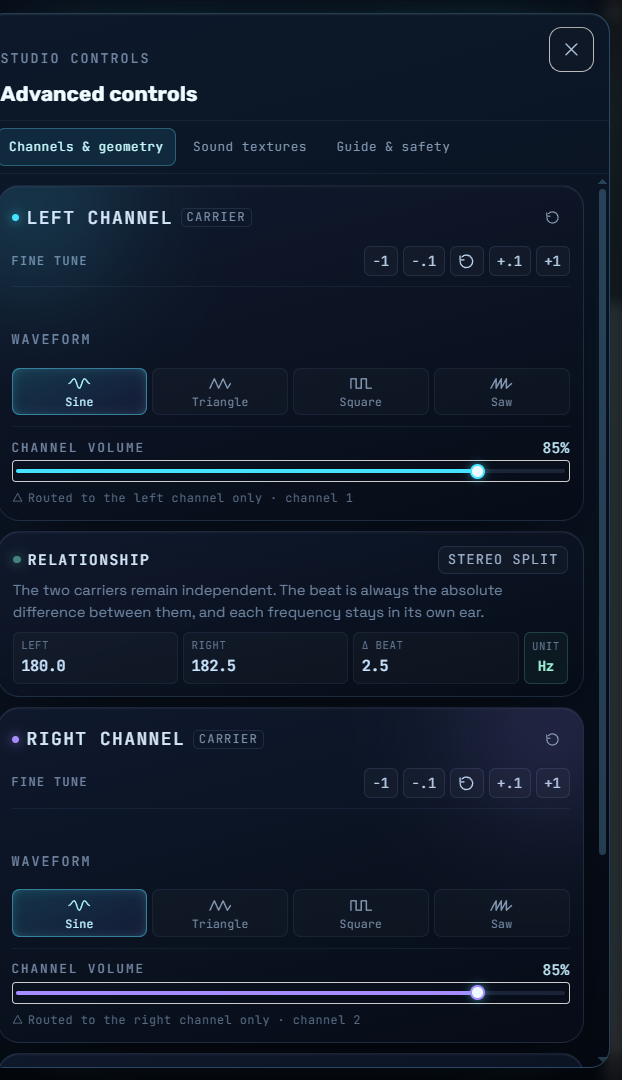
Auto-calculated · 210.0 − 200.0 = 10.0 Hz. Beat edits move both carriers around their midpoint.
Sound texture studio
Warm Triangle · rounded carrier harmonics with a soft low foundation.
All layers are generated in your browser. The texture bus is gain-limited beneath the two carrier signals, so it adds atmosphere without merging the left and right binaural carriers.
Use stereo headphones
Each carrier is routed to one ear. Regular speakers will mix the channels and remove the binaural difference.
Start low, take breaks
Keep the master volume comfortable. Fade in and out smoothly, and take a listening break every 30–60 minutes.
A geometry metaphor
The triangle illustrates the relationship between two frequencies and their difference. It is not a brain scan, brainwave image or medical measurement.
0.03
Prashyant Jha
Medihertz Frequencies – Your Frequency Hub for Mind & Awareness.
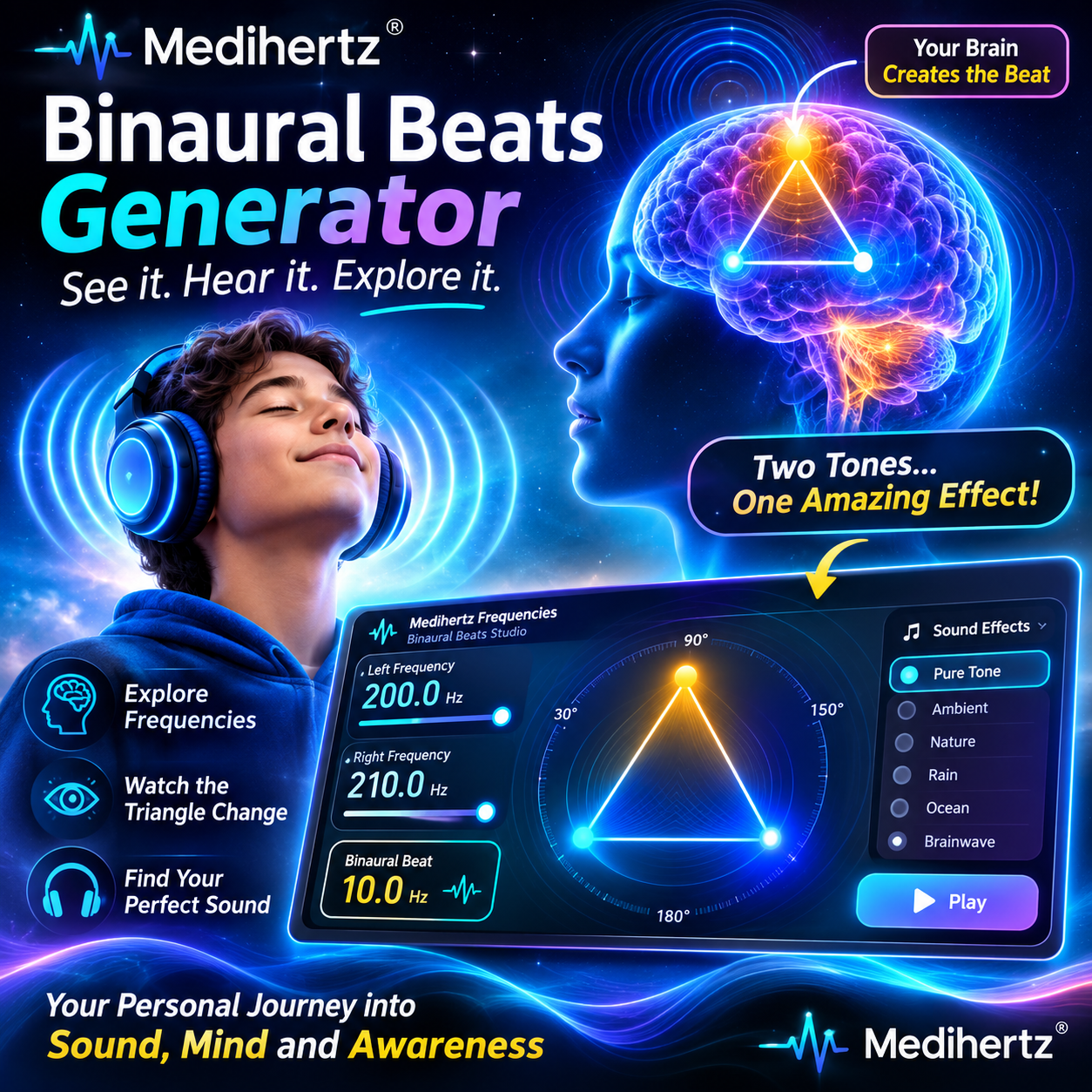
Binaural Beats Generator – Create and Explore Your Own Frequencies
Welcome to the Medihertz Binaural Beats Generator, a place where you can explore sound, frequencies and the fascinating way our ears work together.
I created this tool with one simple idea in mind: I wanted people to do more than just listen to binaural beats. I wanted them to understand how they are created, see how different frequencies relate to each other, and experiment with the sound themselves.
You can choose frequencies, listen through headphones, explore the visualizer and discover which sound you personally enjoy.
Let’s understand how it all works.
What Are Binaural Beats?
Let me explain it in a simple way.
Imagine that you are listening to one gentle tone in your left ear and a slightly different tone in your right ear.
For example:
- Your left ear receives a 200 Hz tone.
- Your right ear receives a 208 Hz tone.
Your brain receives these two separate sounds and processes them together. You may hear a gentle pulsing effect. This is called a binaural beat.
The difference between the two tones is 8 Hz.
That difference is the binaural beat frequency.
So, a binaural beat is not simply another sound playing in your headphones. It is an auditory effect that your brain perceives when it receives two slightly different tones, one in each ear.
How Do Binaural Beats Work?
Our two ears work together when we listen to sound.
When we send one frequency to the left ear and a slightly different frequency to the right ear, the brain processes the two signals.
It can perceive a rhythmic difference between them.
Here is a simple example:
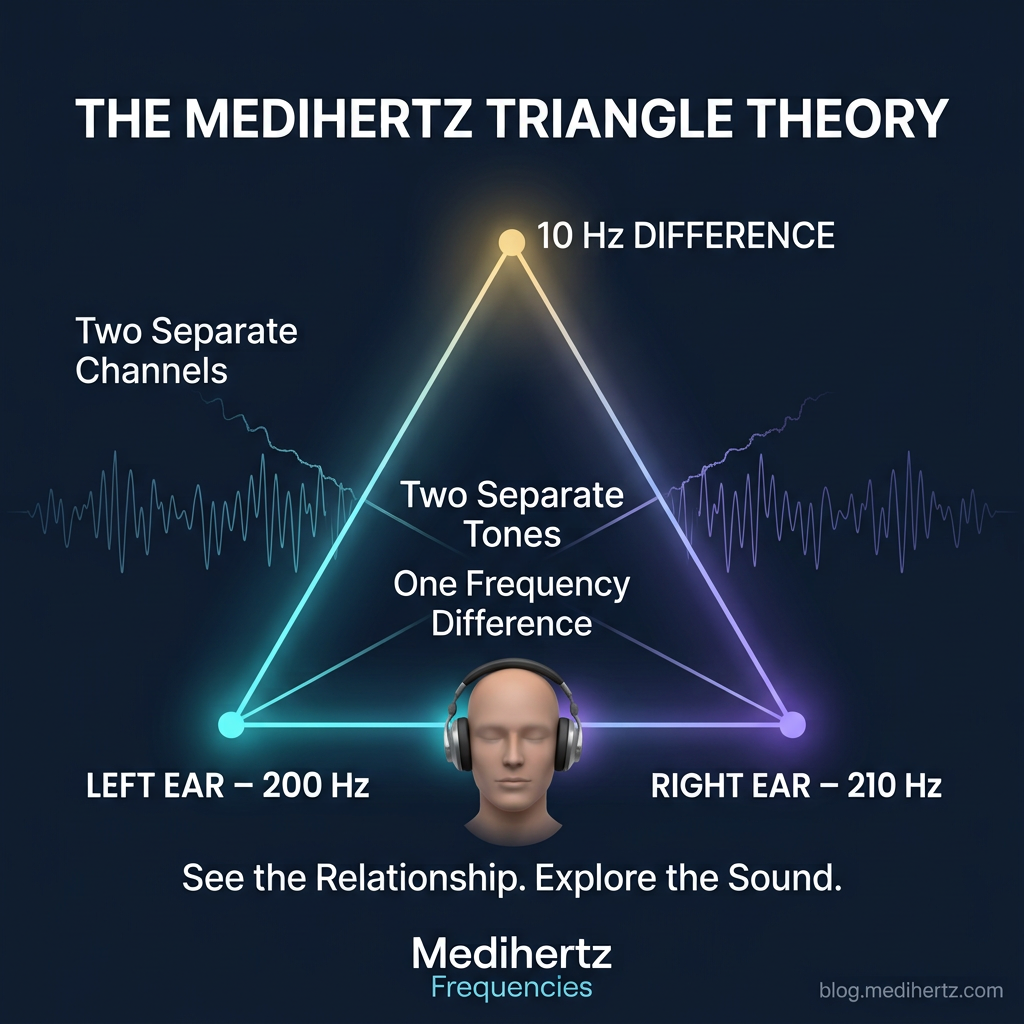
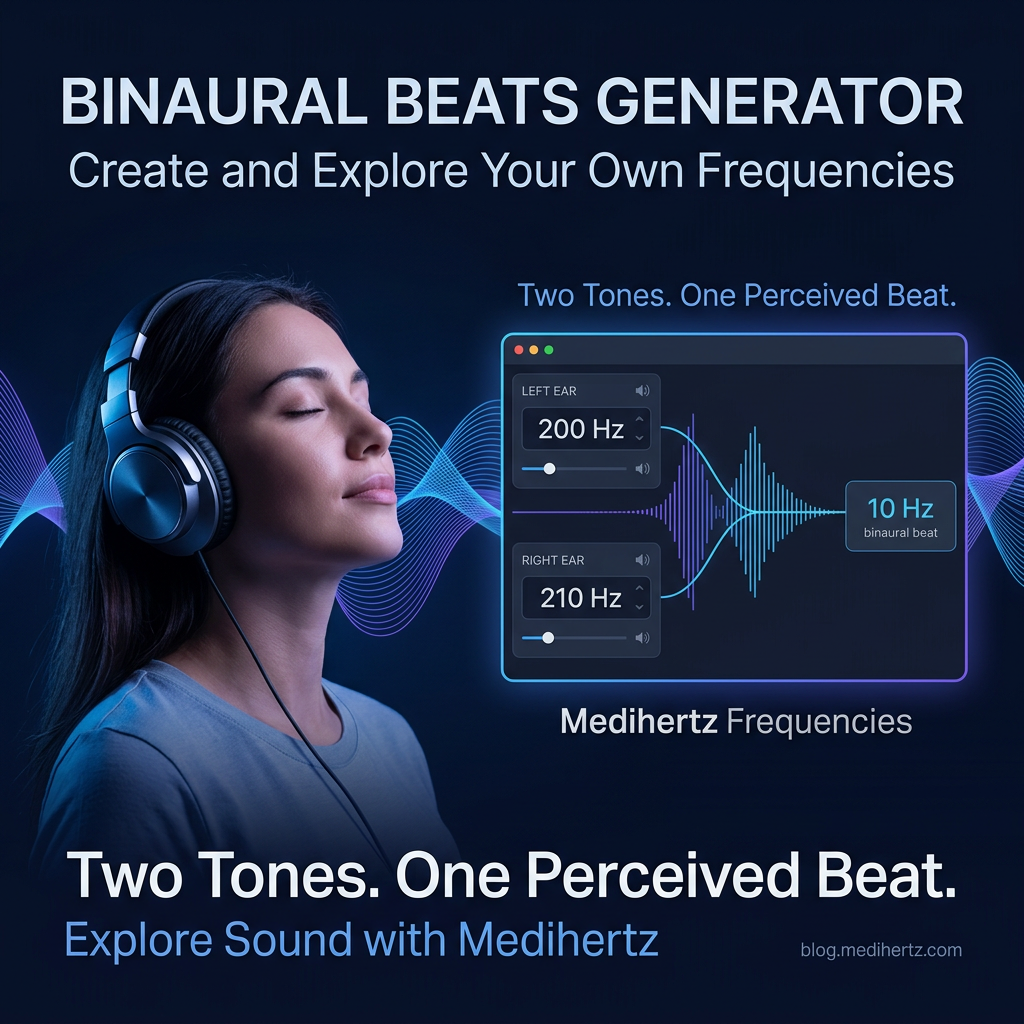
Left ear: 200 Hz
Right ear: 210 Hz
Difference: 10 Hz
This creates the perception of an 10 Hz binaural beat.
Think of it like two people tapping at slightly different speeds. When you listen to both together, you may notice a repeating difference between their rhythms.
That is the basic idea behind binaural beats.
One important thing to remember: the two tones must remain separate between your ears. That is why stereo headphones or earbuds are needed to experience the binaural beat properly.
What Is the Difference Between Carrier Frequency and Beat Frequency?
These two terms may sound technical, but they are easy to understand.
Carrier frequency is the main tone sent to each ear.
Beat frequency is the difference between the left and right tones.
For example, if I set the left ear to 200 Hz and the right ear to 208 Hz:
- Carrier tones: 200 Hz and 208 Hz
- Binaural beat difference: 8 Hz
The carrier tones are the actual sounds your ears receive. The beat frequency is the difference your brain can perceive when processing them together.
This is why changing the difference between the two tones changes the binaural beat you are exploring.
Explore the Medihertz Binaural Beats Generator
I created this generator so you can explore binaural beats instead of depending only on pre-recorded audio.
You can experiment with the available frequency settings, listen to the results and understand how changing the numbers changes the sound experience.
Here is how to use it.
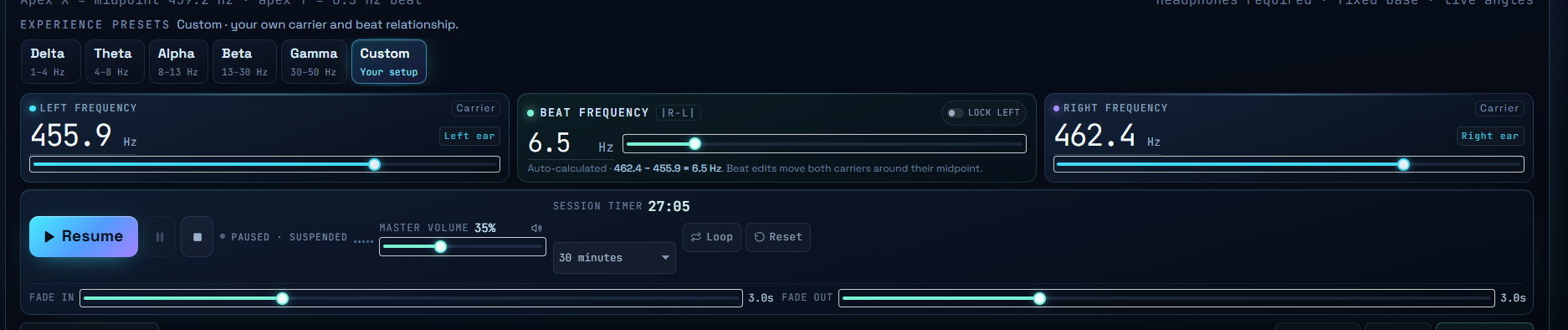
1. Choose Your Frequencies
Start by selecting the frequency for each ear.
The left frequency controls the tone delivered to your left ear. The right frequency controls the tone delivered to your right ear.
When you change either value, the difference between the two tones changes too.
For example:
- Left: 200 Hz
- Right: 210 Hz
- Difference: 10 Hz
You can experiment with different combinations and listen to how they sound.
2. Understand the Binaural Beat Difference
The beat difference is the number that matters when creating a binaural beat.
If both ears receive the same frequency, there is no difference between the tones.
If the right ear receives a frequency 5 Hz higher than the left ear, the binaural beat difference is 5 Hz.
You can explore small and large differences and discover how each setting sounds to you.
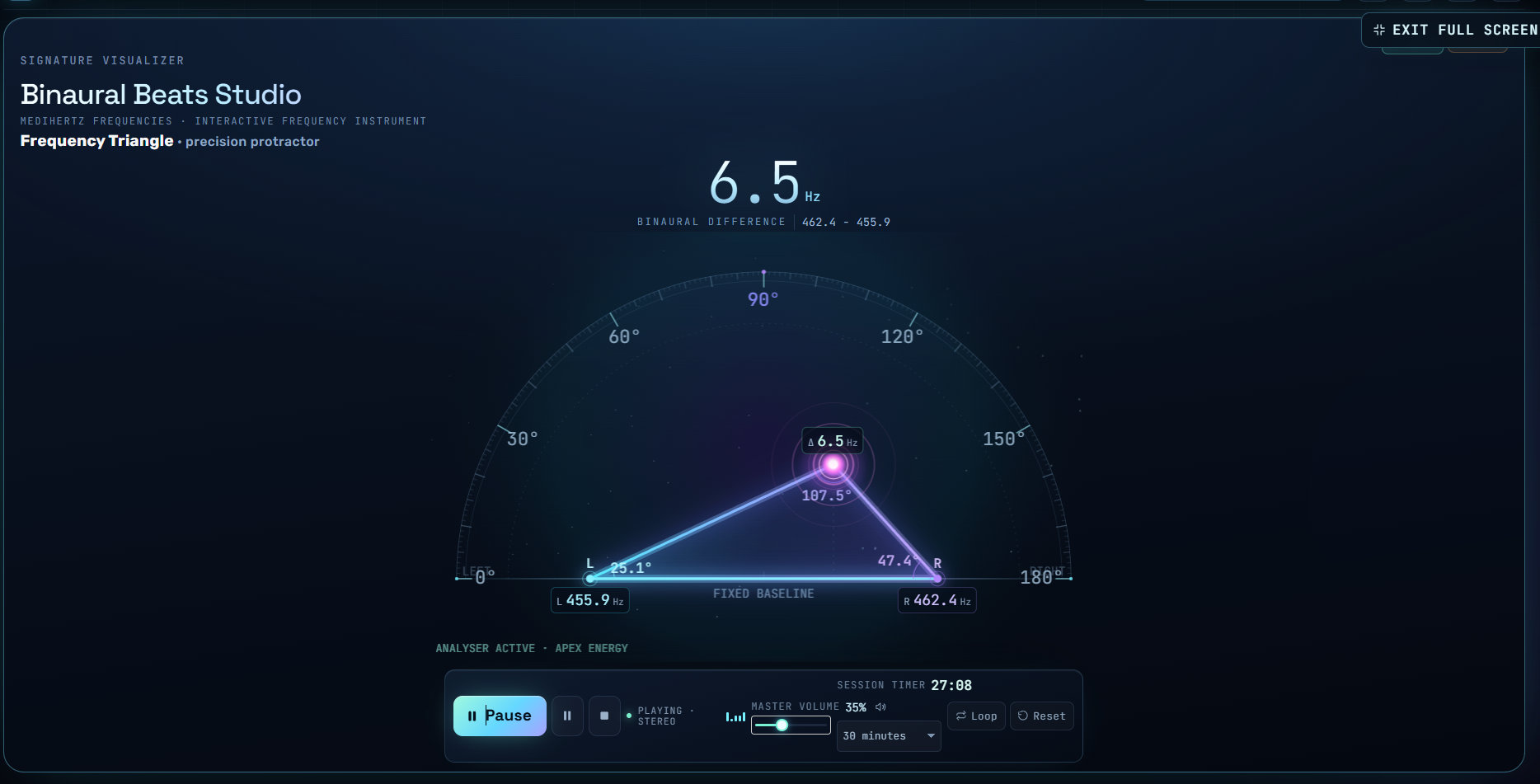
3. Explore the Triangle Visualizer – My Triangle Theory
This is one of the ideas that makes the Medihertz generator different.
While developing this tool, I wanted to find a way to make the relationship between two separate frequencies easier to understand visually.
Most people see binaural beats as numbers on a screen. I wanted to give them another way to explore those numbers.
That is how I developed my triangle-based visualisation idea.
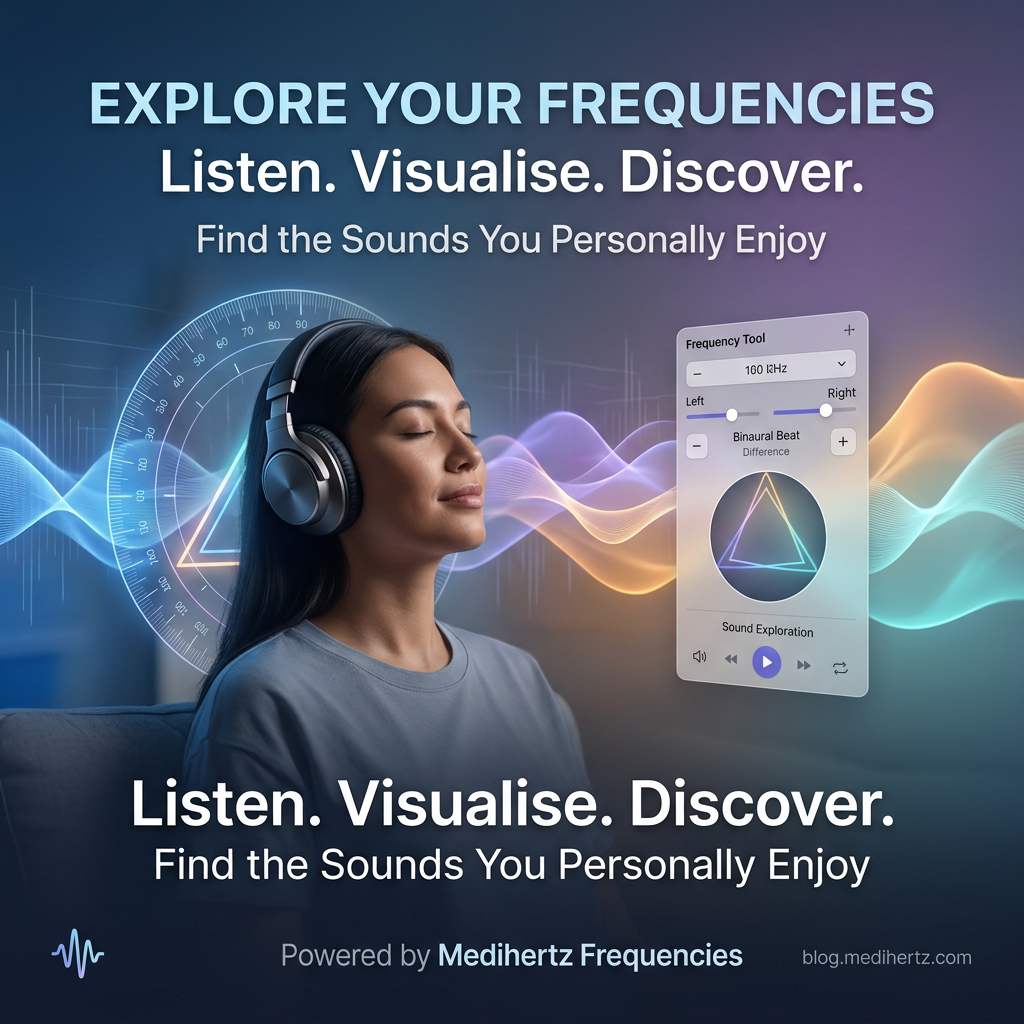
The triangle gives you a visual way to explore the relationship between the two ear frequencies and their difference. As you change the frequency settings, the visual representation changes too.
Think of it as a visual map for exploring binaural beat settings.
The triangle is not a picture of a real brainwave or the physical shape of a binaural beat inside your brain. It is my way of turning an abstract frequency relationship into something you can see and experiment with.
I believe that seeing and hearing something together can make it easier to understand.
You can change the settings, watch the triangle and listen to the result. This lets you explore different combinations and find the frequencies that you personally prefer.
4. Explore the Visualizer and Protractor
The visualizer gives you another way to explore the geometry of the selected frequency relationship.
You can observe how the triangle changes as you adjust the settings. The protractor-style view helps you look at the visual angles and positions.
These shapes are part of the Medihertz visualisation model. They are not measurements of electrical activity in your brain.
My goal is simple: make frequency exploration easier to see, understand and enjoy.
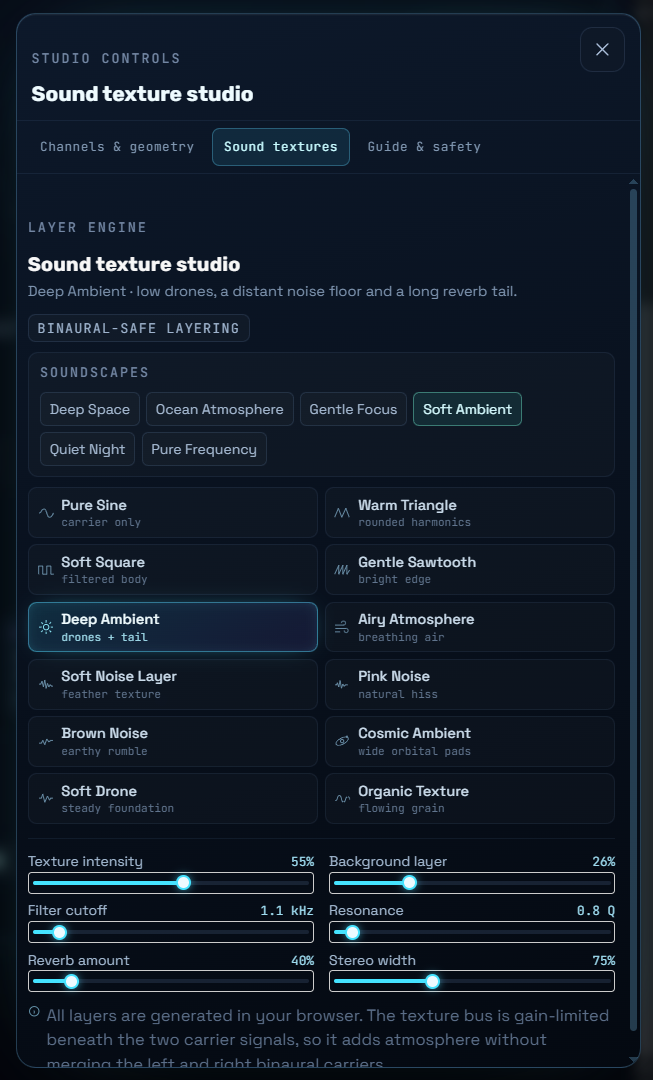
5. Explore Different Sound Textures
You can also explore the available sound textures in the generator.
Different sound textures can change the overall listening experience. Some people prefer a simple tone, while others enjoy adding a softer ambient background.
Try the available options and see which sound feels comfortable for your listening session.
The purpose is to give you more freedom to explore your own sound experience.
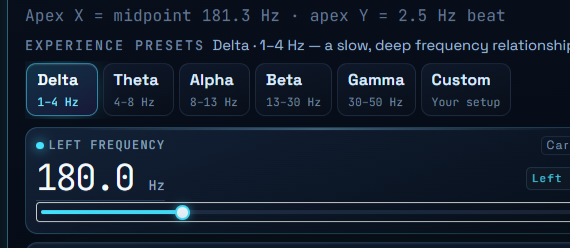
Understanding Binaural Beat Frequencies
You may have heard of Delta, Theta, Alpha, Beta and Gamma frequencies.
These names refer to commonly discussed brainwave frequency bands. They are often used when describing different patterns of brain activity.
Here is a simple guide:
Delta Waves – 0.5 to 4 Hz
Delta is the slowest commonly discussed brainwave band.
It is strongly associated with deep sleep in normal sleep research.
Theta Waves – 4 to 8 Hz
Theta activity is often discussed in connection with drowsiness, dreaming and some meditation states.
Alpha Waves – 8 to 13 Hz
Alpha activity is commonly associated with relaxed wakefulness, especially when a person is calm with their eyes closed.
Beta Waves – 13 to 30 Hz
Beta activity is commonly observed during normal alert thinking and active mental tasks.
Gamma Waves – Around 30 Hz and Above
Gamma activity is a faster brainwave pattern studied in relation to information processing and different brain functions.
A helpful distinction: These are descriptions of brainwave bands, not guaranteed results from listening to a matching binaural beat. Choosing a 10 Hz binaural beat does not prove that your brain has entered an Alpha state. Research into how binaural beats affect brain activity and behaviour is still developing.
How Do I Choose a Binaural Beat Frequency?
There is no single frequency that everyone must choose.
I recommend starting with a frequency range that interests you, listening at a comfortable volume and exploring different settings.
You may prefer one combination over another. That personal listening preference is a useful starting point for your own exploration.
Try this simple approach:
- Put on stereo headphones.
- Start with a comfortable volume.
- Choose a frequency combination.
- Listen for a short session.
- Try another combination if you want to compare.
- Notice which sound you find most comfortable.
You do not need to rush. Give yourself time to explore.
Can Binaural Beats Help with Sleep or Focus?
People explore binaural beats for different reasons, including relaxation, sleep routines, meditation and concentration.
Some studies have investigated whether binaural beats may influence attention, mood, anxiety or sleep. However, research findings are mixed, and the results do not establish that a particular frequency will produce a specific outcome for everyone.
I designed this tool as a frequency exploration and listening experience. It is not a medical treatment, and I do not promise that a particular setting will improve sleep, focus or health.
You can use it to explore sound and see which listening experience you enjoy.
Why Do I Need Headphones?
This is one of the most important things to understand.
A binaural beat requires two different tones to reach the two ears separately.
With stereo headphones:
- The left channel sends its tone to your left ear.
- The right channel sends its tone to your right ear.
Your brain processes these separate signals and may perceive the binaural beat.
If both tones are mixed together and played through a single speaker, the listening experience is different. You may hear physical interference or other sound effects, but that is not the same as the classic binaural beat experience.
For this reason, I recommend using stereo headphones or earbuds.
How Long Should I Listen?
There is no universally established listening duration that guarantees a result.
Start with a short, comfortable session and pay attention to how you feel. Keep the volume at a safe, comfortable level.
If you experience discomfort, dizziness or a headache, stop listening.
Never use the generator while driving or doing something that requires your full attention.
Do Binaural Beats Actually Work?
This is a fair question.
Binaural beats are a real auditory phenomenon. When two slightly different tones are presented separately to the ears, the brain can perceive a beat at their frequency difference.
But there is a second question: do binaural beats reliably create specific changes in the brain or improve sleep, memory, focus or other outcomes?
Research is still developing. Some studies report possible effects, while others find limited or inconsistent evidence.
I believe it is important to keep these two things separate: the auditory phenomenon is real, but specific health or performance benefits should not be promised.
Explore the sound, learn how the frequencies work and make your own listening choices.
Frequently Asked Questions
1. What are binaural beats in simple words?
Binaural beats are an auditory effect created when each ear receives a slightly different tone. The brain processes the two tones and may perceive a beat at their difference.
2. How are binaural beats calculated?
Subtract the lower frequency from the higher frequency. For example, 208 Hz minus 200 Hz equals an 8 Hz binaural beat.
3. Can I create my own binaural beats?
Yes. With the Medihertz generator, you can explore different left and right frequency combinations and listen to the resulting beat.
4. Can I use binaural beats without headphones?
For the classic binaural beat effect, use stereo headphones or earbuds so that each ear receives its own separate tone.
5. What is a 40 Hz binaural beat?
A 40 Hz binaural beat uses two tones separated by 40 Hz. For example, 200 Hz in one ear and 240 Hz in the other.
6. Are binaural beats the same as brainwaves?
No. Binaural beats are an auditory perception. Brainwaves are patterns of electrical activity in the brain. They are related topics of research, but they are not the same thing.
7. Can I listen to binaural beats every day?
Some people include them in their regular listening routines. There is no established requirement to listen every day. Use a comfortable volume and stop if listening causes discomfort.
8. What is the difference between binaural beats and isochronic tones?
Binaural beats use two different tones delivered separately to the ears. Isochronic tones use regularly repeated pulses of sound. They are two different audio techniques.
9. Does a higher binaural beat frequency mean a stronger effect?
Not necessarily. A larger frequency difference does not automatically mean a stronger or better result. The listening experience and any possible effects depend on several factors.
10. What makes the Medihertz Binaural Beats Generator different?
The Medihertz generator combines frequency controls, listening and a triangle-based visualisation model. I created the visual approach to help people explore the relationship between the two ear frequencies and their difference in a more visual way.
Binaural Beats Frequency Chart – Delta, Theta, Alpha, Beta and Gamma
Explore different binaural beat frequencies with the Medihertz Binaural Beats Generator. From slow Delta and Theta beats to Alpha, Beta and Gamma ranges, this chart helps you understand the frequencies you can experiment with and the listening experiences commonly associated with them. You can adjust the left and right ear tones, explore their frequency difference, and discover which sounds you personally enjoy.
Binaural Beats Frequency Chart
| Beat frequency | Brainwave range | Common listening purpose | What users can explore |
|---|---|---|---|
| 0.5–1 Hz | Delta | Deep relaxation and sleep routines | Very slow binaural beats |
| 1–4 Hz | Delta | Sleep and relaxation | Delta-range listening |
| 4–6 Hz | Theta | Meditation and creative relaxation | Theta binaural beats |
| 6–8 Hz | Theta | Quiet reflection and meditation | Deeper theta-range sounds |
| 8–10 Hz | Alpha | Relaxation and calm listening | Lower alpha frequencies |
| 10–13 Hz | Alpha | Relaxed alertness and mindfulness | Alpha frequency exploration |
| 13–18 Hz | Beta | Alertness and task-oriented listening | Lower beta frequencies |
| 18–25 Hz | Beta | Focused listening and concentration routines | Mid-beta frequencies |
| 25–30 Hz | Beta | Active, alert listening | Higher beta frequencies |
| 30–40 Hz | Gamma | Exploring higher-frequency beat patterns | Gamma-range listening |
| 40 Hz | Gamma-associated range | Research-inspired sound exploration | 40 Hz binaural beat |
| 40–100 Hz | Higher beat frequencies | Advanced frequency experimentation | Custom high-frequency beats |
More frequencies to explore
| Frequency | What users may explore | Important distinction |
|---|---|---|
| 7.83 Hz | Schumann resonance-inspired listening | Earth’s electromagnetic resonance is not the same as a binaural beat |
| 40 Hz | Gamma-frequency listening | A 40 Hz auditory beat does not guarantee 40 Hz brain activity |
| 432 Hz | Alternative musical tuning and sound exploration | Not a proven healing frequency |
| 528 Hz | Solfeggio-inspired sound exploration | Claims about DNA repair are not established |
| 639 Hz | Solfeggio-inspired meditation audio | No proven relationship with specific emotional outcomes |
| 741 Hz | Solfeggio-inspired sound exploration | Benefits are not scientifically established |
| 852 Hz | Solfeggio-inspired meditation audio | Treat as a listening preference |
| 963 Hz | Solfeggio-inspired sound exploration | Not a proven pineal gland activator |
Special listening experiences
You can add these as a separate section beneath the chart.
| Listening experience | Frequencies to explore | What to communicate |
|---|---|---|
| Sleep routine | Delta, 1–4 Hz | Explore slow beat frequencies during a relaxing bedtime routine |
| Meditation | Theta, 4–8 Hz | Explore gentle sounds during meditation |
| Mindfulness | Alpha, 8–13 Hz | Experiment with relaxed listening |
| Focus sessions | Alpha and Beta | Compare different listening preferences while working |
| Creative sessions | Theta and Alpha | Explore sounds during creative activities |
| Relaxation | Alpha and Theta | Find audio that feels comfortable and calming |
| Gamma exploration | 30–40 Hz | Experiment with higher beat frequencies |
| Pineal gland interest | No validated target frequency | Explore sound for personal interest; do not claim gland stimulation |
Explore Frequencies with Medihertz
I created the Medihertz Binaural Beats Generator to make frequency exploration easier for everyone.
You do not need to be a scientist or understand complicated mathematics to use it.
Choose your frequencies, put on your headphones, explore the triangle visualizer and listen to the results.
Learn how the two tones work together. Experiment with different combinations. Discover which sounds you personally enjoy.
Your exploration starts with two tones and the difference between them.
Prashyant Jha
Medihertz Frequencies – Your Frequency Hub for Mind & Awareness.
☸